A CNC turret alarm is one of the most disruptive faults a lathe operator can face — stopping production mid-cycle and costing hundreds of dollars per hour in lost output. At QFCNCMACHINE, founded in 2010 and headquartered in Dongguan, Guangdong, China, our team has supported 750+ machine shops across Europe, the Americas, and Southeast Asia in diagnosing and resolving turret indexing faults. With 15 years of CNC field experience, this guide walks you through every common CNC turret alarm code, its root cause, and the fastest proven fix — so you can get back to cutting metal, not chasing faults.
1. Why CNC Turret Alarms Are a Critical Downtime Risk
The global CNC lathe and turning center market is valued at $12.8 billion in 2025 and projected to reach $18.4 billion by 2033, growing at a CAGR of 4.7% — driven by automotive, aerospace, and medical device manufacturing.[1] The broader CNC machine tools market was estimated at USD 66.74 billion in 2022 and is forecast to reach USD 132.93 billion by 2030, underscoring how central machine reliability is to global manufacturing competitiveness.[2]
Within this landscape, turret faults are a leading cause of unplanned downtime. Industry technical analysis confirms that turret indexing failure is one of the most frequent issues in CNC turning centers, with root causes ranging from hydraulic instability and encoder errors to mechanical wear and poor lubrication.[3] For high-volume production lines, even a 15-minute turret alarm event can translate to $300–$1,200 in lost production depending on the operation.
2. Understanding CNC Turret Alarm Codes
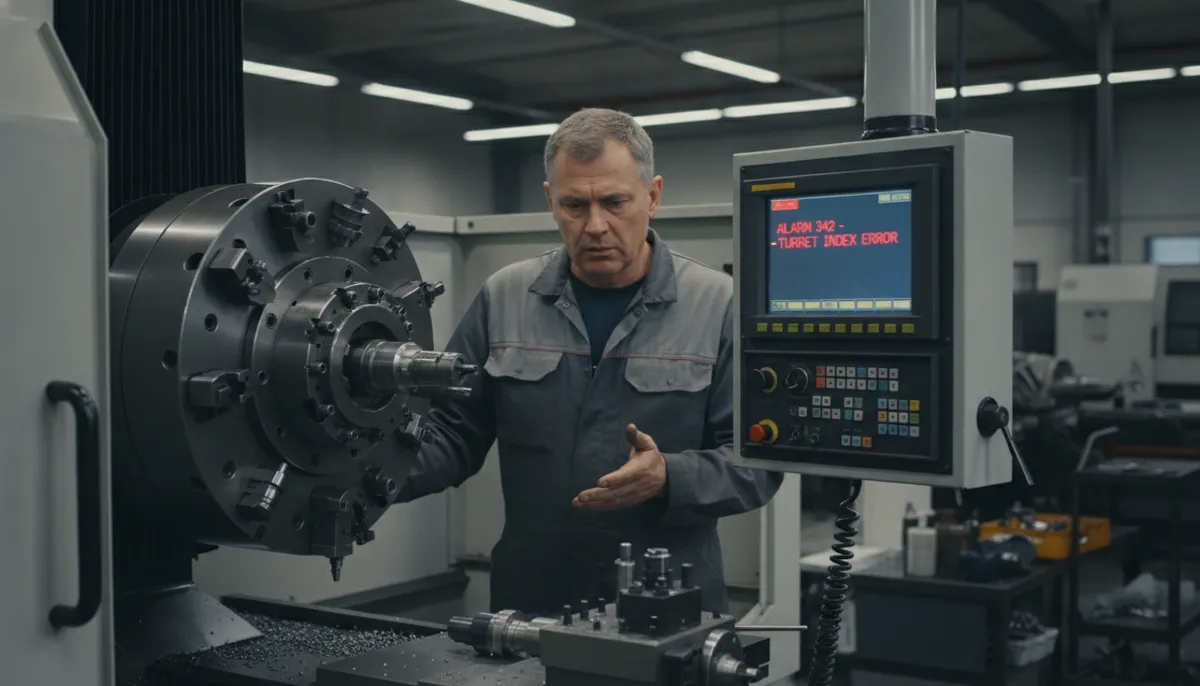
A CNC turret alarm is triggered when the machine’s control system detects a discrepancy between the commanded and actual state of the turret — whether in position, clamping force, or timing. Understanding the specific alarm code is the fastest way to narrow down the fault.
Common CNC Turret Alarm Codes & Meanings
- Alarm 2023 – Turret Index Timeout: The turret failed to reach the target tool position within the programmed time limit. Usually caused by a sluggish hydraulic system, worn indexing cam, or mechanical obstruction.
- Alarm 2041 – Turret Clamp/Unclamp Fault: The clamping mechanism did not fully engage or disengage. Often linked to low hydraulic pressure, a blocked solenoid valve, or a worn clamp seat.
- Alarm 2050 – Turret Position Error: The encoder or proximity sensor detected a mismatch between commanded and actual tool position. Typically caused by sensor drift, damaged encoder cable, or signal interference.[3]
3. CNC Turret Alarm Quick-Reference Diagnostic Table
| Alarm Code | Alarm Name | Most Likely Cause | First Check | Typical Fix |
|---|---|---|---|---|
| 2023 | Turret Index Timeout | Worn indexing cam / low hydraulic flow | Hydraulic pressure gauge | Replace cam; flush & refill hydraulic oil |
| 2041 | Clamp/Unclamp Fault | Blocked solenoid valve / worn clamp seat | Solenoid valve actuation test | Clean/replace solenoid; resurface clamp seat |
| 2050 | Turret Position Error | Sensor drift / damaged encoder cable | Multimeter continuity test on encoder cable | Re-gap sensor; replace encoder cable |
| General | Intermittent Indexing Fault | Loose mechanical coupling / debris in path | Visual & tactile inspection of tool post | Tighten all fasteners; clean indexing path |
4. Step-by-Step CNC Turret Alarm Troubleshooting Checklist
Follow this structured 5-step process before replacing any components. This systematic approach reduces diagnostic time and avoids unnecessary parts costs.
- Step 1 — Read the Exact Alarm Code: Access the machine’s diagnostic menu and record the full alarm code and sub-code. Do not guess. The code tells you which subsystem to inspect first.
- Step 2 — Visual & Tactile Mechanical Inspection: Before touching electronics, check for loose bolts on the tool post, debris in the indexing path, and visible wear on the clamp teeth. Always check mechanical tightness before replacing expensive components.
- Step 3 — Check Hydraulic Pressure: Verify system pressure against the machine manual specification (typically 40–70 bar for turret clamping). Low pressure is the single most common cause of both Alarm 2023 and Alarm 2041.
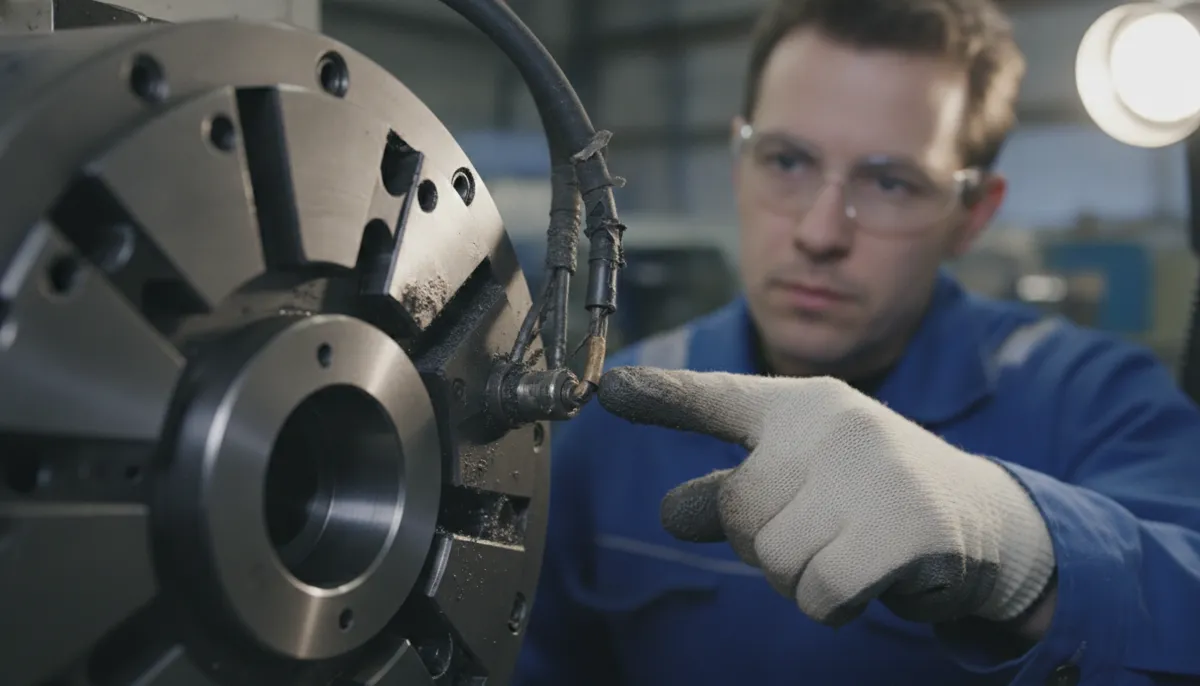
- Step 4 — Inspect Sensors & Electrical Connections: Use a multimeter to test proximity sensor output voltage and encoder cable continuity. Adjust sensor gap to manufacturer specification (typically 0.5–1.5 mm). Check for coolant contamination on connectors.
- Step 5 — Manual Clamp Test: Use the machine’s manual mode to activate the clamp/unclamp cycle while observing the mechanism directly. Listen for abnormal sounds and watch for incomplete travel. Many controllers include a dedicated “Clamp Test” menu.
5. Core Troubleshooting Modules
5.1 Systematic Alarm Code Diagnosis
Use the machine’s built-in diagnostic menu to retrieve the exact CNC turret alarm code rather than relying on operator memory. Document the code, time of occurrence, and the tool station being indexed. Cross-reference with the machine’s alarm manual. This single habit prevents misdiagnosis that leads to replacing the wrong component.
5.2 Clamping Mechanism Inspection
A loose or worn clamp is the leading mechanical cause of turret alarms. Inspect hydraulic pressure, seal condition, solenoid valve function, and clamp tooth wear. Hydraulic turrets rely on stable oil pressure for full engagement — fluctuations prevent complete clamping and trigger position errors.[3] Schedule a full clamp inspection every 500 operating hours to prevent recurrence.
5.3 Sensor & Electrical Checks
Proximity sensors, limit switches, and encoders are high-frequency failure points on CNC turrets. Modern servo turrets depend entirely on encoder feedback — a damaged cable or signal interference will trigger a CNC turret alarm even when the mechanical system is perfect.[3] A replacement proximity sensor typically costs under $50 but can eliminate weeks of recurring alarms. Always clean sensor faces and verify gap settings after any coolant flood event.
5.4 Tooling Rigidity & Vibration Control
An often-overlooked contributor to CNC turret alarm events is excessive vibration from low-quality tool holders. Vibration during heavy roughing or interrupted cutting accelerates internal turret wear — particularly on Curvic couplings and locking teeth. Upgrading to high-precision BMT or VDI tool holders reduces turret wear and lowers alarm frequency over the machine’s service life.

6. Real-World CNC Turret Alarm Case Studies
Case 1 — Automotive Tier-1 Supplier, Germany
A Tier-1 automotive components manufacturer in Stuttgart running Doosan lathes experienced repeated Alarm 2023 (Turret Index Timeout) on their high-volume crankshaft line. Each alarm caused a 15-minute shutdown costing approximately €900 in lost output. Following QFCNCMACHINE’s structured diagnostic guide, the operator identified a worn indexing cam causing inconsistent rotation speed. Replacing the cam and flushing the hydraulic system eliminated the alarm entirely — with zero recurrence over the following 8 months.
“We had been chasing this turret alarm for three weeks, replacing sensors and resetting the controller — nothing worked. QFCNCMACHINE’s checklist pointed us straight to the hydraulic cam. One part, two hours of work, problem solved. Our line efficiency is back to 97%.”
Case 2 — Precision Job Shop, California, USA
A mid-size job shop in Southern California machining stainless steel aerospace brackets encountered recurring Alarm 2050 (Turret Position Error) when using heavy live tooling. The root cause was vibration-induced sensor drift combined with a loose encoder cable connector. Installing a hydraulic clamp upgrade, re-gapping the proximity sensor, and securing the encoder cable with strain relief resolved the issue. Uptime improved by over 30%.
“The turret alarm was killing our on-time delivery. Bella’s team walked us through the sensor gap adjustment and the encoder cable fix over a video call — took less than an hour. We’ve been running clean for four months now. Highly recommend their support.”
Case 3 — CNC Training Center, Vietnam
A vocational CNC training institute in Ho Chi Minh City experienced sporadic Alarm 2041 (Clamp/Unclamp Fault) on their training lathes with no dedicated maintenance technician on staff. QFCNCMACHINE provided a remote diagnostic guide and video call support session. The instructor identified a hydraulic line blockage caused by degraded seal debris. Flushing the hydraulic circuit and replacing the seals resolved the fault completely.
“As a training center, we cannot afford long machine downtime — students need to practice every day. QFCNCMACHINE’s remote support was fast and very clear. Even without a full-time technician, we fixed the CNC turret alarm ourselves following their guide. Very professional service.”
7. DIY Troubleshooting vs. Calling a Professional
✅ DIY Troubleshooting — When It Works
- Alarm code is clearly documented in the manual
- Fault is a sensor gap, loose bolt, or dirty connector
- Hydraulic pressure is measurable and adjustable on-site
- Machine has a manual clamp test mode available
- Operator has basic electrical and mechanical training
- Replacement parts (sensors, seals) are low-cost and in stock
⚠️ Call a Professional — These Situations Require It
- Alarm persists after completing all basic checks
- Visible physical damage: cracks in turret body or housing
- Encoder replacement or servo drive fault suspected
- Hydraulic pump or valve block requires disassembly
- Machine is under warranty — DIY may void coverage
- Repeated alarms with no clear pattern (intermittent fault)
8. FAQ — CNC Turret Alarm Troubleshooting
Q1: What is the most common cause of a CNC turret alarm?
The most frequent causes are a misaligned or dirty proximity sensor, low hydraulic pressure, or a loose mechanical connection. Sensor faces can drift out of alignment or become coated with coolant over time. Start by cleaning the sensor and verifying the gap setting. If the CNC turret alarm persists, check hydraulic pressure and inspect the clamp mechanism for wear.
Q2: Can I clear a CNC turret alarm by power cycling the machine?
A power cycle may temporarily reset the alarm display, but it is not a fix. If the underlying cause — misalignment, worn part, low pressure — remains, the CNC turret alarm will return, often within the next tool change. Always diagnose and resolve the root cause before resetting. Repeated resets without repair can mask a worsening fault and lead to more serious damage.
Q3: How do I test the turret clamp without running a full production cycle?
Use the machine’s manual mode (MDI or Jog) to activate the clamp/unclamp function while directly observing the mechanism. Listen for abnormal sounds and monitor hydraulic pressure on the gauge. Many Fanuc, Siemens, and Mitsubishi controllers include a dedicated “Clamp Test” or “Turret Diagnosis” menu. If pressure drops below specification during clamping, the hydraulic pump, solenoid valve, or internal seals require inspection.
Q4: How often should I inspect the turret to prevent CNC turret alarms?
QFCNCMACHINE recommends a full turret inspection every 500 operating hours, including hydraulic pressure verification, sensor gap check, clamp tooth wear assessment, and lubrication of all moving parts. For high-duty-cycle operations (3-shift production), increase frequency to every 300 hours. Proactive maintenance is far less costly than unplanned downtime.
Q5: When should I call a professional for a CNC turret alarm?
If you have completed all basic checks — sensors, clamps, hydraulic pressure, electrical connections — and the alarm persists, or if you observe physical damage such as cracks in the turret body or housing, contact a certified technician immediately. QFCNCMACHINE offers remote video support and on-site service for customers in Europe, the Americas, and Southeast Asia.
Stop Losing Production Time to Turret Alarms
QFCNCMACHINE has supported 750+ machine shops worldwide since 2010. Get a free consultation from our 15-year CNC experts — remote support, spare parts, and on-site service available for Europe, Americas & Southeast Asia. 2-Year Warranty on all machines.
References
- DataIntelo, CNC Lathe & CNC Turning Center Market Research Report 2025–2033, Published May 2026. https://dataintelo.com/report/cnc-lathe-cnc-turning-center-market
- Grand View Research, Computer Numerical Control Machines Market Size, Share & Trends Analysis Report, 2023–2030, Published January 2024. https://www.grandviewresearch.com/industry-analysis/computer-numerical-controls-cnc-market
- Wuxi Fagor Technology, Common CNC Turret Problems and Solutions — CNC Lathe Troubleshooting Guide, Published May 2026. https://www.fagor-cnc.com/common-cnc-turret-problems-and-solutions-cnc-lathe-troubleshooting-guide.html
- Mordor Intelligence, Machining Centers Market Size, Share & Growth Trends Report, 2024. https://www.mordorintelligence.com/industry-reports/machining-centers-market